
Half the AI tools our clients tried in the last year aren’t being used today. They'd invest in a tool because someone recommended, use it hard for two to three months, and then it would fade into the background.
According to Refact, the share of AI projects that come to nothing at around 80%, and the cause is usually the same. A bolt-on tool gets bought, nobody owns it, and the underlying process never changes.
So we started paying attention to the opposite. Out of all the AI solutions we set up for clients this year, which handful were still running six months later?
Here are five that stuck.
What separates the ones that stick from the ones that didn’t
Before we dive in, it helps to know what they have in common.
The AI workflows that didn’t last were all "assistants." They helped a person do one step faster.
The workflows that stuck owned a job from start to finish and ran automatically. The research backs this up. When people looked at the AI deployments generating returns, the dividing line was clear. The ones that worked owned the outcome, closed the loop, and moved on, rather than sitting to one side waiting for human instruction.
The other shared trait was smaller scope. Every one of these solves a single, annoying, recurring problem. The businesses seeing results in 2026 tend to have one thing in common. They picked one or two problems and solved them properly, and left the rest of the shiny tools alone.
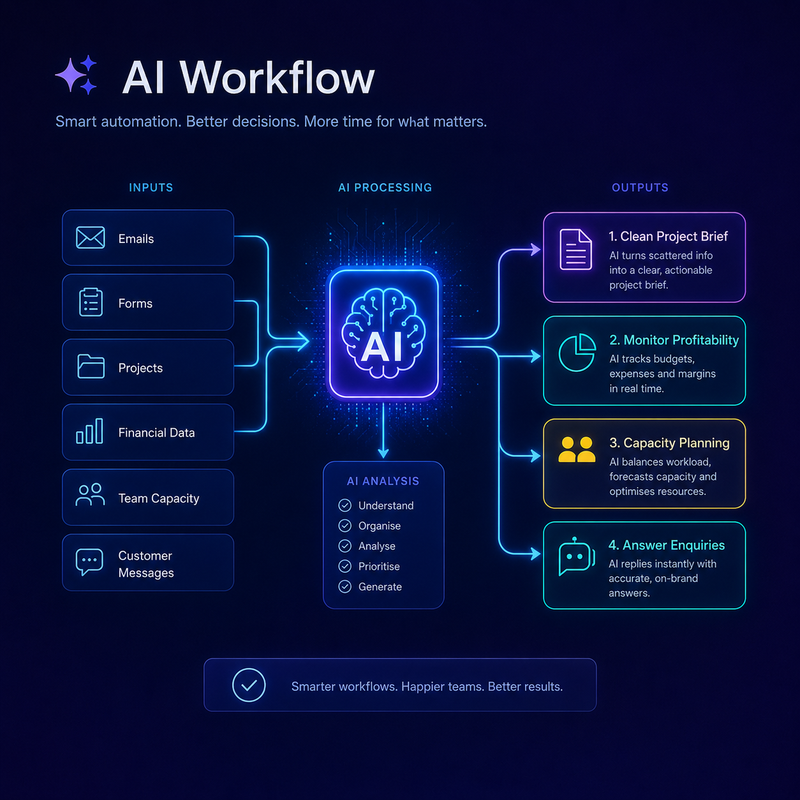
1. Turning messy client emails into a clean project brief
The problem we kept seeing was the gap between a client saying yes and the work getting started. A client sends three long emails, and a separate scoping document with tracked changes. Someone on the team has to read all of it, work out what was finally agreed on, and turn it into tasks.
The workflow we set up reads the thread and produces a first-draft brief. It pulls out the deliverables, the dates that were mentioned, and anything that looks like a change to the original scope. Only then does someone on the team check it.
2. Watching project profitability while there's still time to act
Every business we work with can tell you whether a project made money. The trouble is they can only tell you afterwards, once the invoices are in and the timesheets are reconciled. By then the margin is whatever it is.
We built a simple check that runs against live project data and flags when a job is trending over budget while it's still running. It compares hours logged against hours planned and tells the project lead when the trend line is heading the wrong way.
3. Catching a capacity problem before it becomes a burnout problem
A team looks fine on the surface, everyone is busy, the projects are progressing. Then one person hands in their notice and it turns out they'd been carrying 60 hours a week for three months and nobody had a clear view of it.
The workflow that fixed this watches how work is spread across the team and raises a flag when one person's load creeps past a healthy line for a sustained stretch. It doesn't make a decision. It just makes it visible early enough for a manager to act.
4. First-draft client reporting that people send on time
Client reporting can be fiddly, time-consuming, and slip when the week gets busy. So reports go out late, or rushed.
We set up a workflow that assembles the recurring report from the data, in the format each client is used to, as a draft. The account manager reviews it, adds the context, and sends.
5. A missed-enquiry safety net
This one is the simplest and, in pure revenue terms, often the most valuable. When an enquiry comes in and doesn't get a response within a set window, the workflow sends a helpful holding reply and logs it so a team member to follow up.
An enquiry that sits unanswered for a day is often a customer who has already moved on to whoever replied first. The businesses using this kind of automatic response consistently report the same thing: enquiries that used to fall through the cracks now turn into client conversations.
How to pick your first one
If you read those five and felt the urge to set up all of them, resist it.
Do this instead. Think about the last month and find the job that got delayed, dropped, or done badly because nobody had time. That's your priority, because a workflow only sticks when it removes real, recurring friction.
If you want help working out which of these would earn its place in your business, contact us.