
You duplicated the group.
Every comment is gone.
GroupMaster gives monday.com the group tools it never had — duplicate with every comment intact, move groups between boards, bulk-update hundreds of items, and automate all of it.
Sound familiar?
The duplicate that loses everything
monday's native group duplicate drops every update and comment. Months of client conversation — gone in one click, with no undo.
The forty-click status change
Marking a whole group as Done means opening every item, one by one. Same for assigning a person. Same for pushing every deadline out a week.
The drag-and-drop board move
Getting a group onto another board means dragging items across, one at a time, and hoping the columns line up.
The automation that doesn't exist
monday's automation centre has hundreds of recipes — and almost none of them work on a whole group.
Everything a group should do
One board view. Nine tools. Comments come along every time.
Duplicate with comments
A full copy of the group on the same board: every item, column value, update and comment preserved.
Copy or move to another board
Recreate a group on any board, comments included, or move it wholesale and clean up behind itself.
Bulk status, person and dates
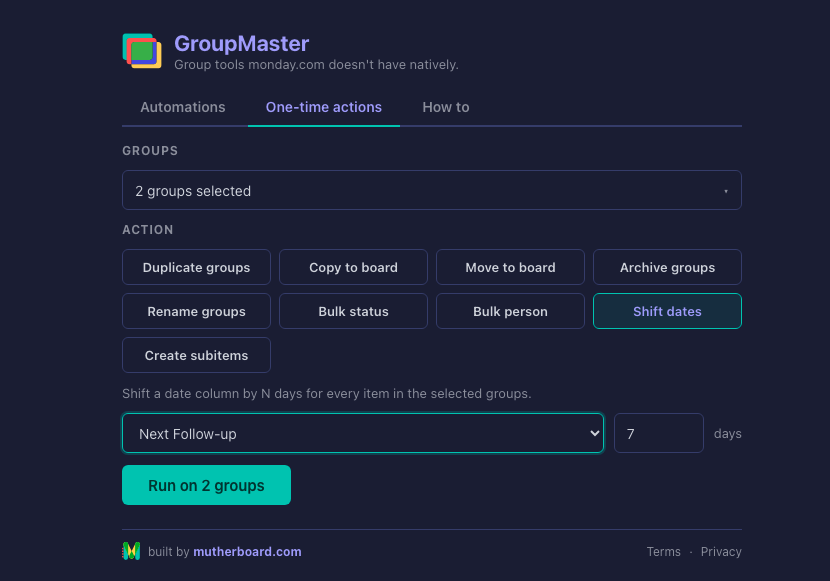
Set a status, assign a person, or shift every date by any number of days — across every item in the group, in one run.
Rename in sequence
Select five groups, type "Sprint", get Sprint 1 to Sprint 5. A {date} token stamps today’s date anywhere.
Groups into subitems
Turn a group’s items into subitems of any parent, comments included, with multi-level boards handled safely.
Archive in one click
One group or ten. The picker is a multi-select.
Automate it — three ways
Rules inside GroupMaster
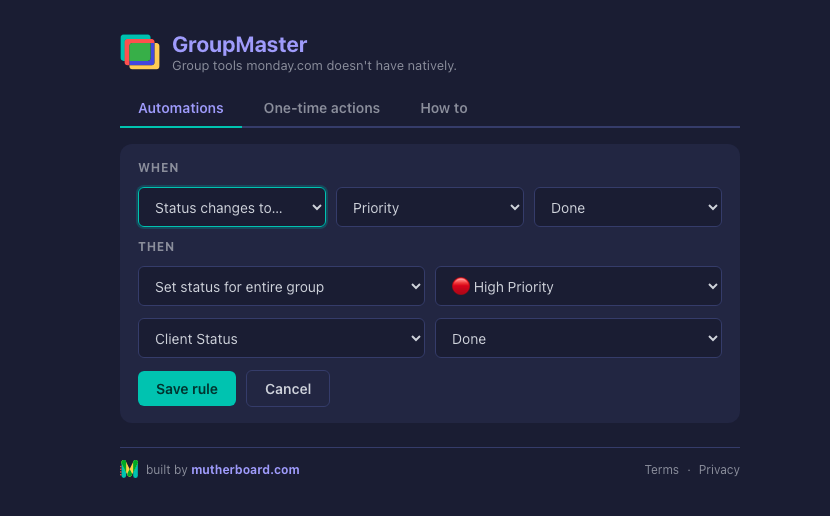
Build "when this happens, do that" with plain dropdowns, right on the board — when status changes to Done, archive the item’s group. No automation centre required. Rules run on our servers, even with the board closed.
monday's automation centre
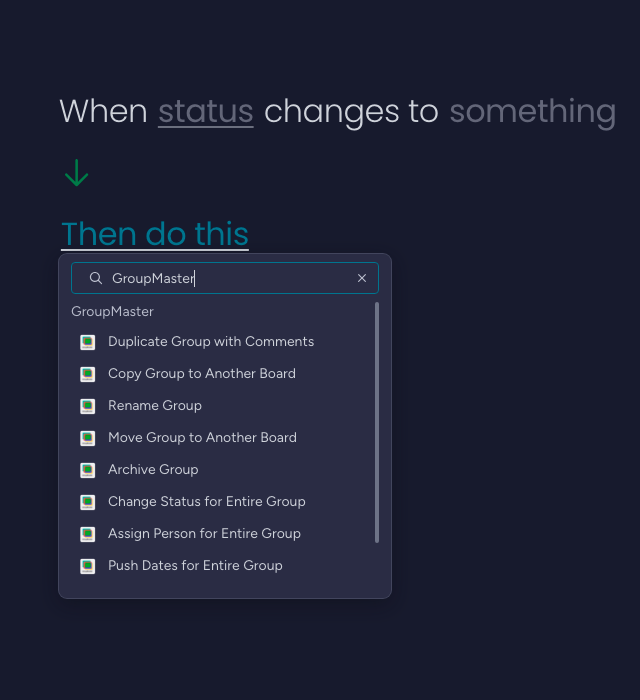
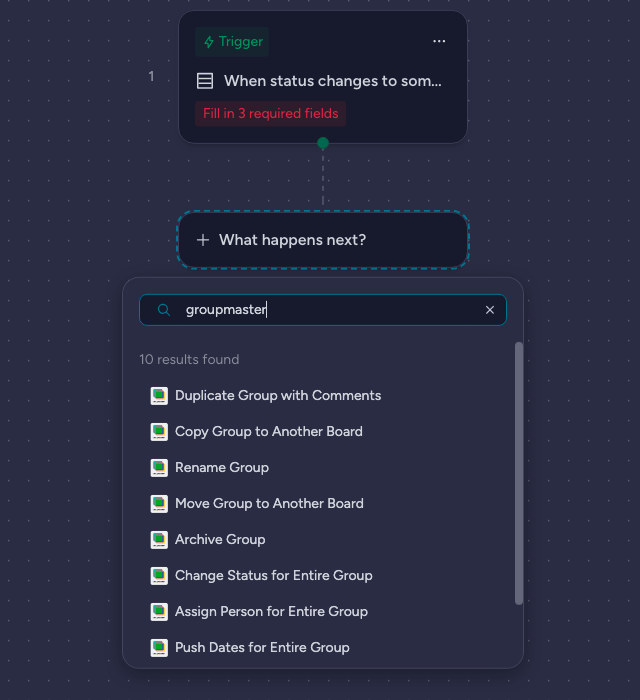
All ten GroupMaster actions are native "Then do this" blocks — combine them with any monday trigger or condition.
monday Workflows
The same ten actions appear as blocks on the Workflows canvas, under Board & Group.
How it works
Installed to first duplicated group in under two minutes.
Install
Install GroupMaster from the monday marketplace.
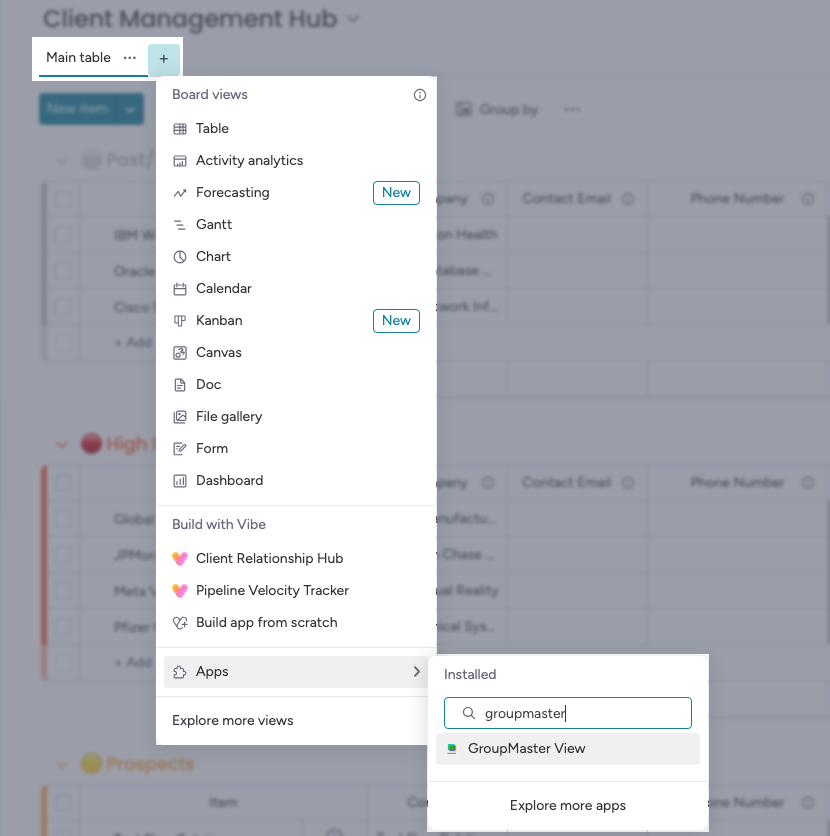
Add the view
Any board → + → Apps → GroupMaster.
Accept and connect
Approve the terms, connect your account once, and automations run in the background from day one.
Run your first action
Pick a group, pick a tool, click Run.
Every action explained, with screenshots, plus the Automate centre and Workflows setups.
Built to be trusted
Nothing stored
Your items, columns and comments never leave monday.com — GroupMaster holds zero board content.
Credentials in monday's vault
Tokens live encrypted in monday's own secure storage, scoped to your account and user.
Every request verified
Signature-checked endpoints, rate limiting, and no third-party services of any kind.
Uninstall = erased
Removing the app automatically deletes every token, rule and webhook it ever created for your account.
Availability
Coming soon
GroupMaster is on its way to the monday.com marketplace. Tell us you’re interested and we’ll let you know the moment it goes live.
Ready to give your groups superpowers?
GroupMaster is coming soon. Be first to know when it lands on the marketplace.
Questions first? [email protected] — answered within one business day. Built by mutherboard.com.