
How-to guide
How to use GroupMaster
Group tools monday.com doesn't have natively · by mutherboard.com
1. Getting started
- Install GroupMaster on your monday.com account.
- Open any board → click + next to your view tabs → Apps → choose GroupMaster.
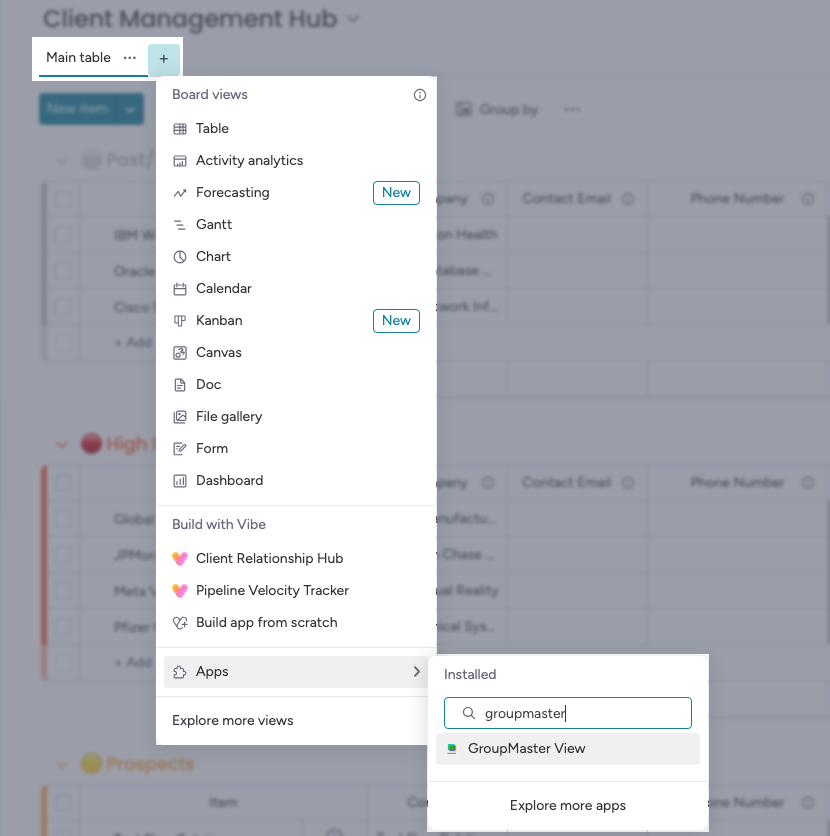
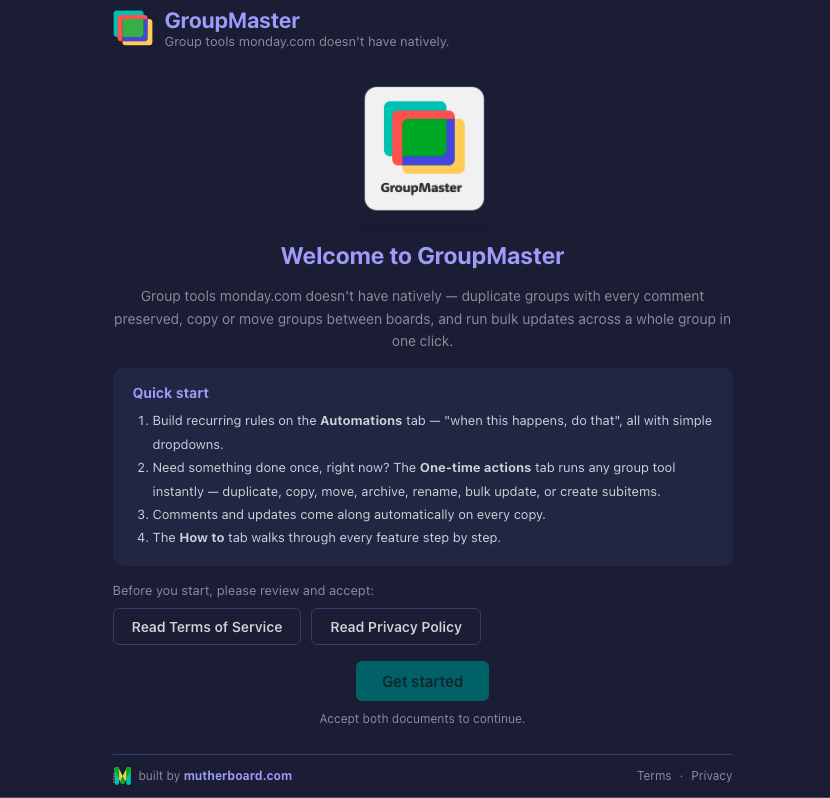
- On first open, review and accept the Terms of Service and Privacy Policy (scroll each to the end, tick, accept).
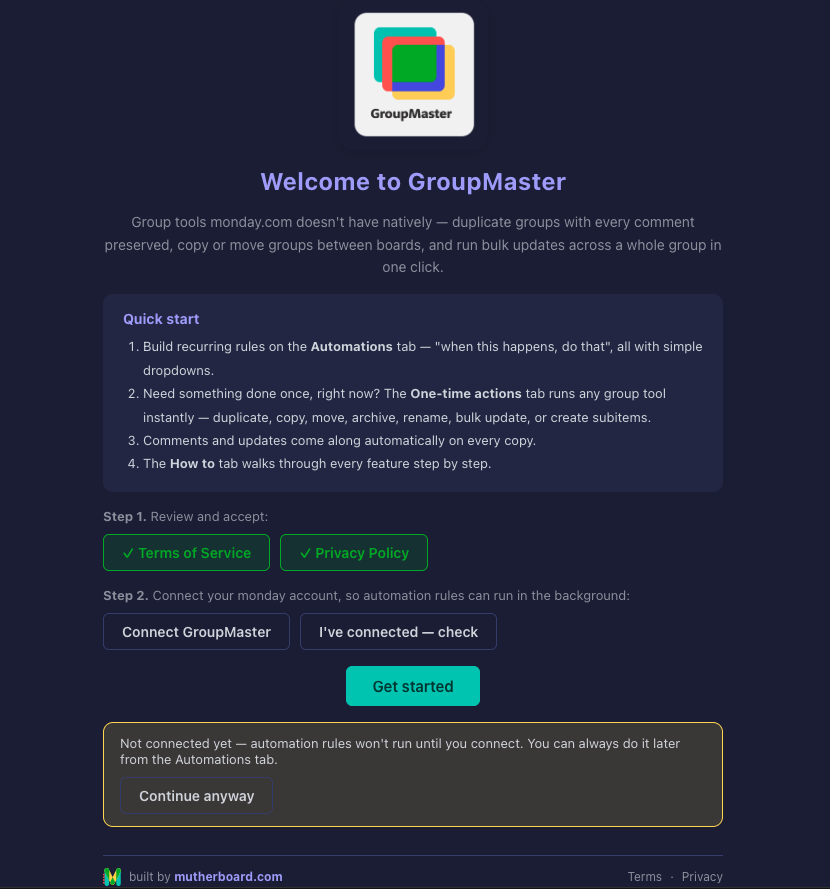
- Step 2, connect your monday account, so automation rules can run in the background: click Connect GroupMaster, approve the permissions in the monday window that opens, come back and click Get started. (You can skip this and connect later from the Automations tab.)
2. The Automations tab: rules that run themselves
GroupMaster opens on the Automations tab. A rule is a sentence you build with dropdowns: when something happens on this board, run a GroupMaster action. Rules run on our servers; the board view doesn't need to be open.
If you skipped connecting during the welcome, the tab shows a one-time Connect banner:
Build a rule:
- Click + New rule.
- When: choose a trigger: Status changes to… (pick the column and the status) or An item is created.
- Then: choose any GroupMaster action and its details. The group picker includes "→ The item's group (where it happened)", so the action follows whichever group the triggering item is in.
- Click Save rule. It's live immediately and listed on this tab; delete it any time.
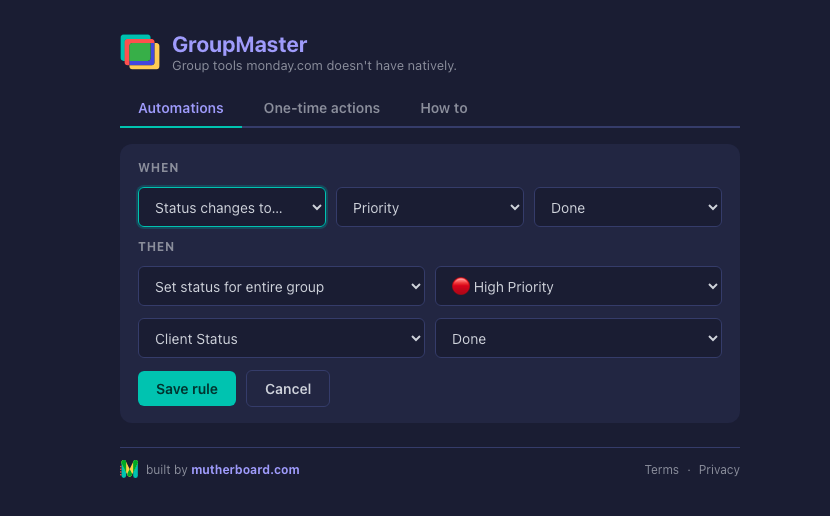
Tip: a saved rule reads like a sentence ("When status changes to 'Working on it' → Duplicate group (Active Clients)"), so the list doubles as documentation of your board's behaviour.
3. One-time actions
The One-time actions tab runs any group tool right now, once. No rule needed.
- Pick one or more groups; the picker is a multi-select with Select all / Clear shortcuts.
- Choose the action, fill its fields, and click Run.
- Watch the progress line: with several groups selected, the action runs on each in turn, top to bottom in board order.
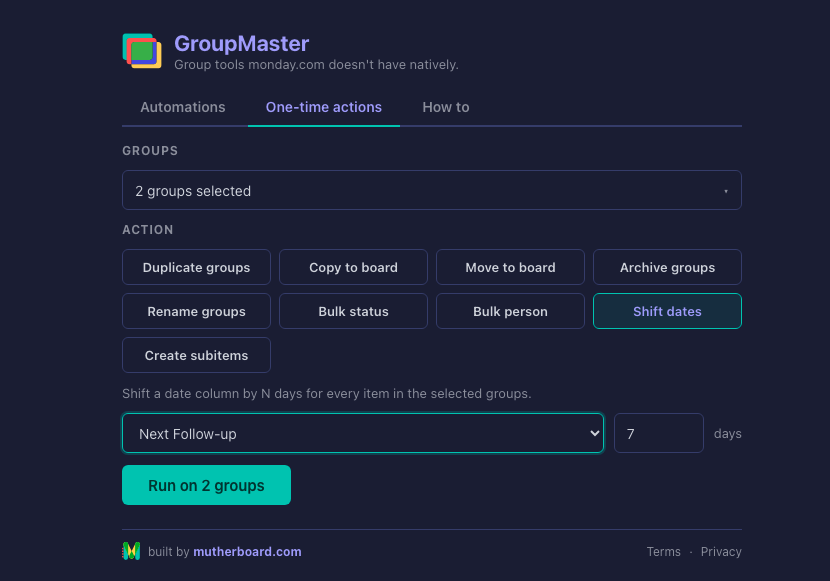
Renaming many groups at once? Select several groups, choose Rename, and type a base name: "blue" becomes blue 1, blue 2, blue 3… in board order. A single selected group gets exactly the name you type, and
{date} anywhere inserts today's date.4. What each action does
- Duplicate groups: full copy on the same board, preserving every item, column value, comment and update (the part monday's native duplicate drops).
- Copy to board: recreates the group and its items, comments included, on another board; the original stays.
- Move to board: transfers the items to another board and removes the group here. Works best when both boards share a similar column structure.
- Archive groups: archives the group and everything in it.
- Rename groups: one exact name, or numbered sequence across multiple groups; supports
{date}. - Bulk status / Bulk person: sets a status or assigns a person on every item in the group. The people list shows this board's subscribers; invite someone to the board if they're missing.
- Shift dates: moves a date column by N days on every item; negative numbers shift earlier.
- Create subitems: turns the group's items into subitems of a parent item you pick, comments included; nested items on multi-level boards are skipped automatically.
5. Using GroupMaster in monday's Automate centre
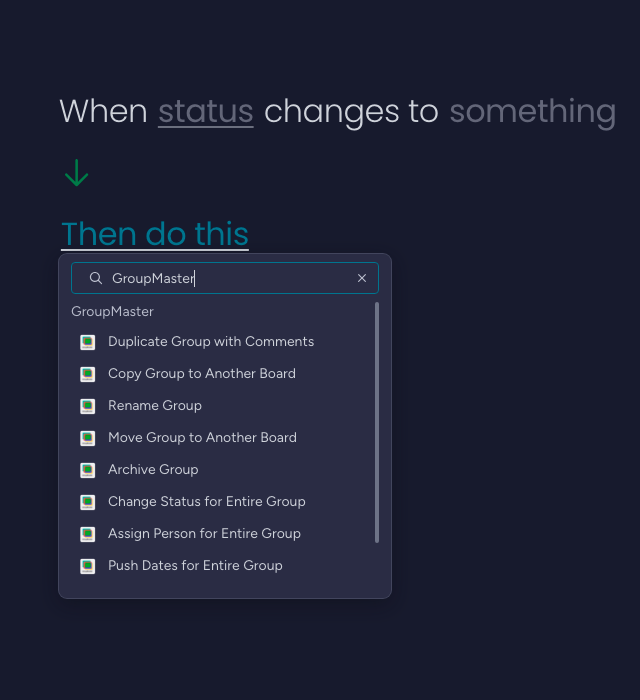
Every action is also a block in monday's own automation builder, useful when you want monday's full range of triggers and conditions.
- On your board, click Automate (top right) → Create custom automation.
- Pick any trigger, then in the "Then do this" step search for the GroupMaster action, e.g. Duplicate Group with Comments.
- Fill in the sentence's fields and create the automation.
6. Using GroupMaster in monday Workflows
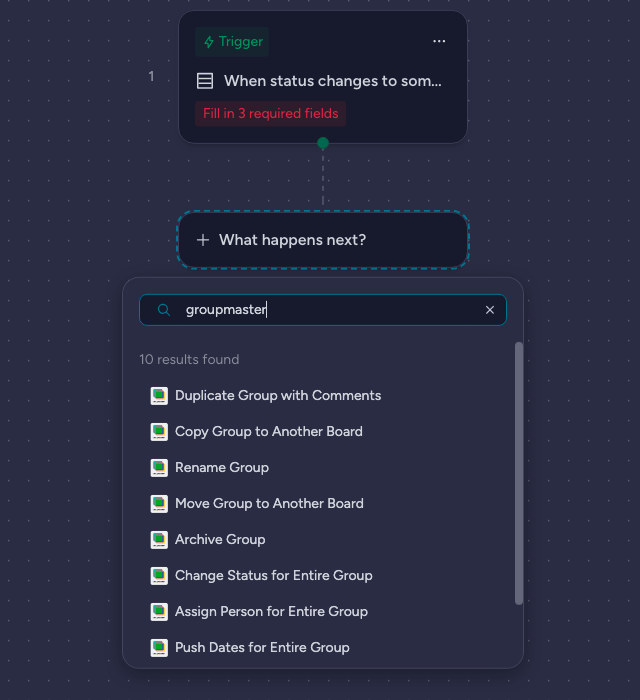
- In monday's left sidebar, click + next to your workspace and choose Workflow.
- Add a trigger block (e.g. "When status changes").
- Click What happens next? → Action and search the GroupMaster action by name; they're filed under the Board & Group category.
- Fill in the block's fields on the right, then publish the workflow.
7. Good to know
- Actions process up to 500 items per group in one run.
- Comment copying is deliberately rate-limited (a short pause per comment) to stay inside monday's API limits, so large groups take a little longer.
- A rule won't re-fire within 30 seconds of its last run; this prevents feedback loops (e.g. a rule that changes the very status it listens to).
- GroupMaster touches only the boards involved in an action. Nothing is stored outside monday.com; see the Privacy Policy.
- Uninstalling the app deletes all stored connections and rules for your account automatically.
8. Support
Questions, ideas, or something not behaving? Email [email protected] and we'll get back to you within one business day.