
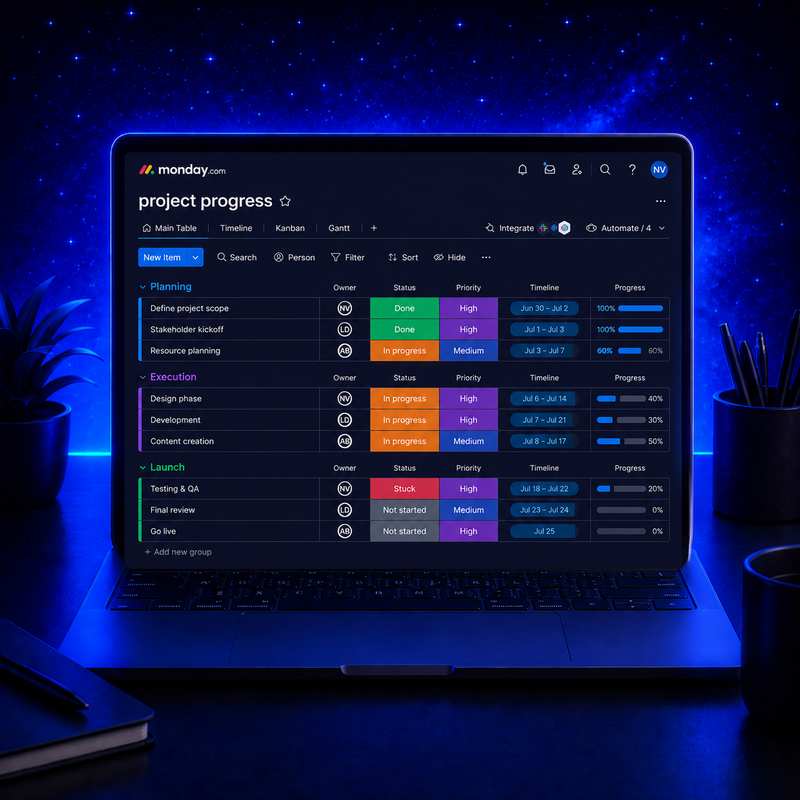
In scoping calls, we hear a version of the same story. A company bought monday.com to get everyone working from one place. A year later, half the business is back in Excel, another team still runs task lists in Trello, and the monday.com boards that do exist are disconnected from each other.
The people building the boards skipped mapping the workflow first, and that's where the mistakes start.
It points straight at where the fix needs to happen. monday.com is one of the most flexible platforms on the market. You can build a board however you want, but nobody hands you a blueprint for how you should.
One UK consultancy estimates that around 70% either fail outright or limp along at 30-40% adoption within the first year, according to Stack Logic.
Here's what causes it, and what to fix first.
Building boards before mapping the work
The fastest way to end up with a system nobody uses is to open monday.com and start creating boards on day one.
What's missing is the time spent asking how work moves through the business before any of it gets built. The platform rarely causes the failure, the process around it does. A board built around what a stakeholder describes in a kickoff call looks nothing like a board built around what the team does day to day, workarounds included.
Treating monday.com like a shared spreadsheet
We hear this line often: "We're on monday.com already, we just use it for a task list." A spreadsheet with colour tells you what's happening. monday.com is built to tell you what's happening and then do something about it. One of the smallest fixes we make on client boards is adding a person column and switching on a notification rule to assign the task, the owner gets notified if it stalls, and it clears once it's marked done.
It sounds almost too simple to matter. That's exactly why so many accounts never turn it on. An estimated 58% of users use automations to their full capability, which lines up with what we see regularly.
Letting every department build its own silo
The third mistake shows up once more than one team is on the platform. Marketing builds a board for campaigns. Sales builds a separate board for pipeline. Finance keeps its own tracker outside monday.com altogether. Nothing is linked, so nothing rolls up, and there's no single source of truth to work from.
monday.com can be the one place that connects these threads. It only does that if someone builds the connections deliberately instead of letting every team default to its own corner.
Leaving tasks without an owner
The fourth mistake is smaller to describe and just as costly. A task sits on a board with a due date and no name attached to it, or three names attached to it, which amounts to the same thing. When nobody carries clear ownership, a deadline can slide for days before anyone notices, because everyone assumes someone else is working on it.
monday.com's own 2026 guidance on implementation planning states that projects with clearly defined roles are 6.4x more likely to succeed than those without.
How we build it differently
When we start a monday.com build, in the first meeting we map how work moves through the business. Only once the map is clear do we open a board. It's why a process change that takes us a day or two upfront, and saves a lot of time down the line.
One thing to fix this week
Pick a project split across more than one tool. Write down every place updates happen - a spreadsheet, a chat thread, a second board. Then identify two updates that get missed most often and replace them with a single automation rule inside monday.com.
This won't fix everything, but it will show you, within a week, how much a small change can have a big impact on your workflows.